Garrett Sutula
Blog Posts

Ultra Value 3D Printing Part 2 - Extruder & Stepper Fan Upgrade

1/1/15

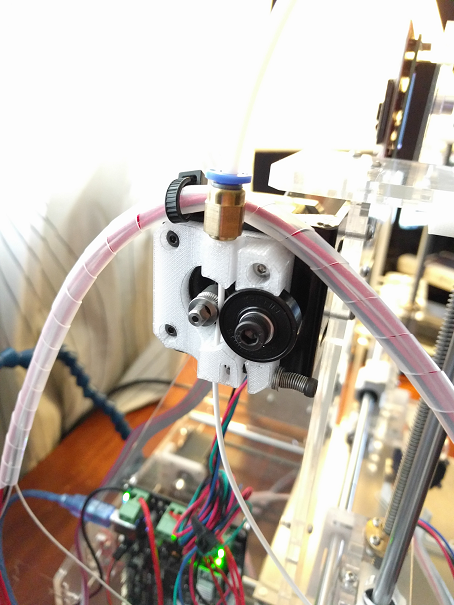
Dropped another upgrade into the printer with wonderful results. The stock extruder drive system doesn't put out nearly enough torque to reliably drive 1.75mm filament, this one is a perfect replacement though! You'll need some other parts:

Parts List

  • 608zz bearing - local skate shops will have them if you don't want to wait. These are generally useful to have around for making spool stands & other stuff, too.
  • MK8 Drive Gear - far beter grip on the filament. Here's a benchmark that proves it.
  • M5 Manual Tap - to tap out the bowden fitting
  • 2mm Drill Bit - to open up the filament holes a bit
Here's what it looks like all put together: New extruder assembly
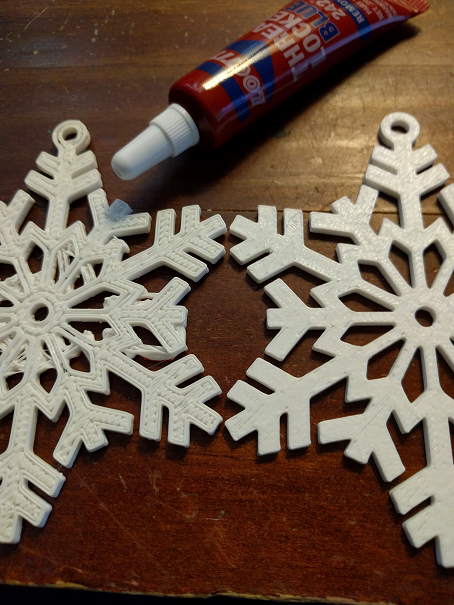
And the print difference is quite stunning, the firm grip provided by the new extruder completely normalized the filament to the hot end and vastly improved print quality (old on left, new on right): Print quality comparison
Next Project!

With that, I've moved on to my next project: designing and printing a mount for a 40mm fan to cool the stepper motor drivers. They get sort of hot so I've been running a desk fan on them but want to switch to a nice, quiet 40mm fan as a long-term fix. I use OnShape to do all my modeling and I can't recommend it enough - 100% cloud-based parametric modeling with great training videos focused on making you productive with minimal time investment.

Within a few minutes I had something that looked about right: Fan mount design in OnShape
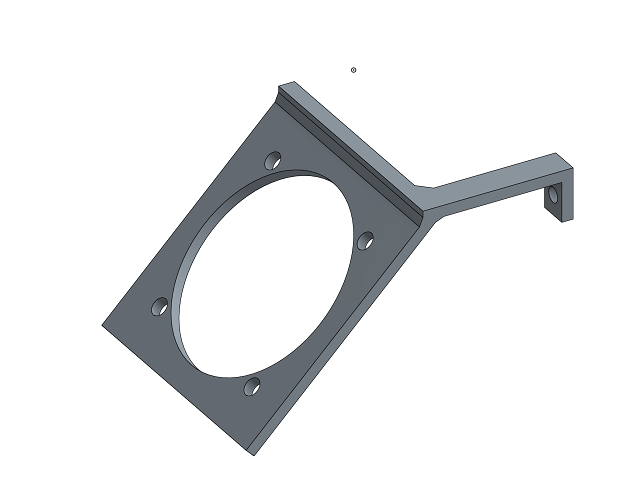
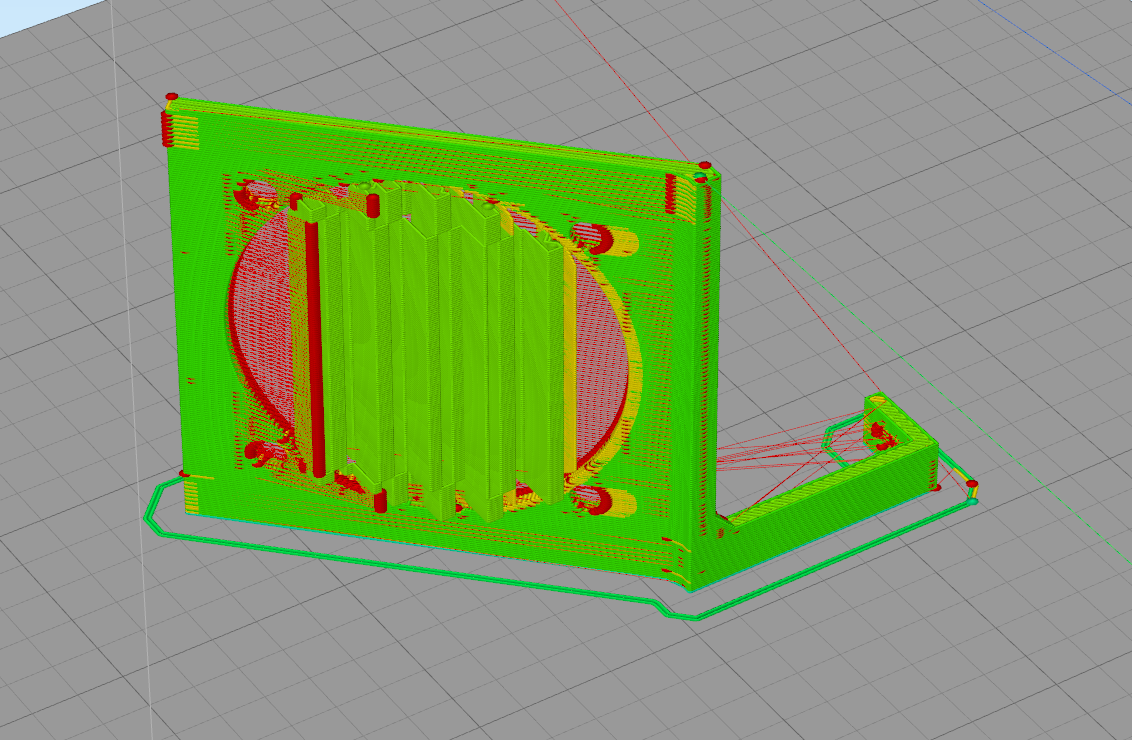
Confident in my printer's ability to reliabiy drive filament regardless of frequent retractions, I figure it can handle something like this just fine now: Fan mount sliced in S3D
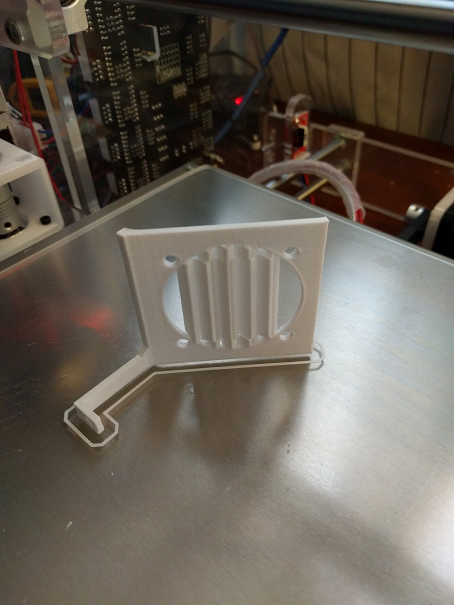
Yep, worked great: Printed fan mount
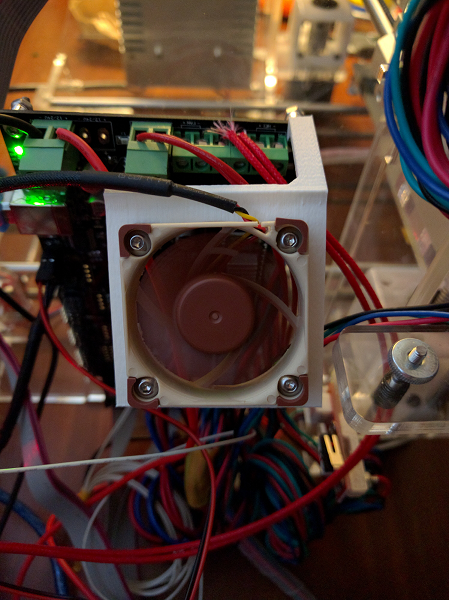
And it fits, perfectly, on the first try! Fan mount installed on printer

Conclusion

Putting a bit more time into upgrading this printer is really paying off! I only have one more upgrade left - a Mk3 heated bed - but not really in a hurry to do it since I've only had slight adhesion/warping issues. I posted the design on thingiverse if you're interested in trying it out! I adjusted a couple of the dimensions down from what you see in the pictures so the extra bits on the sides and top will be minimized.
Ultra Value 3D Printing

12/26/15

Alright so this is a pretty good guide to buying the right 3D printer for you but I bought something else. I didn't want to compromise on features, user community or pay more than a few hundred bucks for a printer - a not-entirely-unrealistic expectation as it turns out! So, ready to spend more time & effort than money I went to Aliexpress to find my printer...

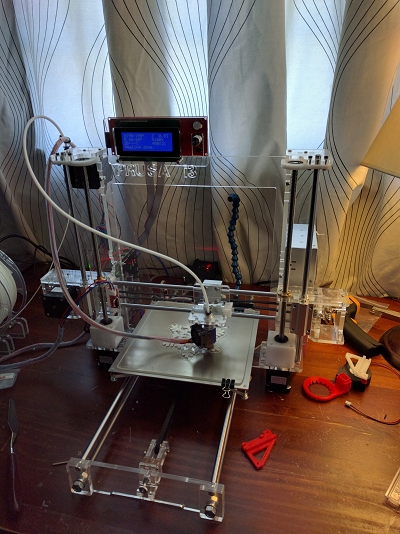
Here's what I bought, a Sunhokey Prusa i3 for a paltry $255 w/ free shipping. Here's how it sits today: Sunhokey Prusa i3 printer

Analysis

Pros
  • $255
  • Includes 2 spools of decent quality filament
  • Based off the Prusa i3 - lots of common parts, upgrades
  • Some improvements over the base design.
  • You'll learn a lot just putting it together & getting it working in the beginning
  • Fair amount of popularity, good resources for assembly and upgrades (links below)
Cons
  • Requires assembly and configuration to get good results.
  • Similar but not the same as a Prusa i3 so some upgrades are less straightforward.
  • Some corners cut to keep costs down:
    • 1/4" acrylic frame - fragile & not the most stable but OK overall
    • Various opportunities to improve on axis stablization due to limitation of acrylic frame
  • Needs upgrades to really shine (see below)

I had a number of upgrades planned to help ensure I was addressing the key shortcomings of the printer right off the bat. Some of these require access to a way to make 3D printed parts

  • E3D v6 hotend from Aliexpress - Knockoff, but still a significant upgrade from the stock hot end both in quality and performance. Worth it to print high temp filaments like PETG.
  • Borosilicate glass plate - the best print surface, the heated bed itself is sort of crappy so heating won't be 100% even but glass is SO EASY to work with so worth downsides.
  • 3D Printed X,Y, and Z Axis Stabilization Parts - these will DRASTICALLY improve print quality and should be done as you're assembling your printer for the first time.

Assembly and Operation

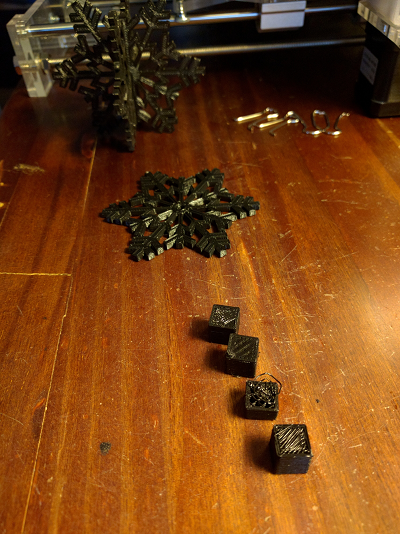
Assembly was done in one week across three nights. On the third night, working through assembling and rough calibration I was able to achieve pretty great results within the first handful of prints: Print quality progression
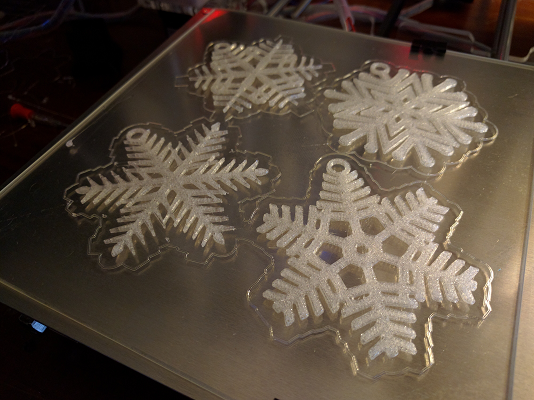
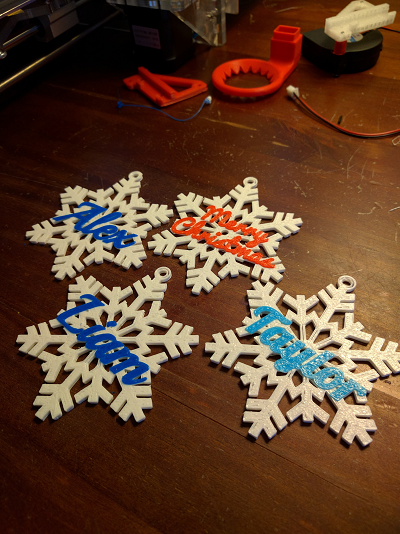
With the upgraded hot end, printing parts in my favorite material - odorless, extremely tough PETG - was straightforward: PETG print 1 PETG print 2 The printer runs the Marlin firmware, which I flashed up to a version that supports ColorPrint so I could realize plans for the holidays: 3D printed snowflake Overall, works great and I was able to print out a bunch of customized snowflakes as presents for family and friends over the holidays. Looking forward, I'm excited to use it to do more artistic projects since I already do plenty of design and printing for practical applications.

If I were to do it again, I'd source individual parts for a prusa or another open source printer design but it'd be a lot harder to pull off without all the knowlege I've accumulated building this one. Either way, looking forward to continuing the upgrades and seeing where 3D printing takes me in 2016.

Other Resources

Parts and Upgrades Upgrades